How to Secure WordPress Login Page from Hackers in 2026
Why You Should Secure WordPress Login Page: The #1 Target For Hackers in 2026
If you run a WordPress website in 2026, one hard truth hasn’t changed: your login page is the biggest security risk on your entire site.
Hackers don’t usually attack your homepage.
They don’t care about your blog design.
They don’t even start with your content.
They start with your WordPress login page.
Every single day, automated bots scan millions of websites looking for /wp-admin and /wp-login.php. They try stolen passwords, brute-force attacks, malware injections, fake admin accounts, and credential stuffing. And the scary part? Most website owners never realize an attack is happening until it’s too late.
A compromised login page can lead to:
- Complete website takeover
- SEO spam links injected into your posts
- Google blacklisting your domain
- Hosting account suspension
- Loss of trust, traffic, and revenue
Whether you run a personal blog, a WooCommerce store, or a high-traffic business site, learning how to secure WordPress login page access is no longer optional.
In this in-depth guide, you’ll learn exactly how to secure WordPress login page from hackers in 2026, using real-world strategies that experienced site owners, developers, and security professionals actually use.
No fluff.
No outdated tricks.
No confusing jargon.
By the end of this article, you’ll know:
- Why WordPress login attacks are increasing in 2026
- The most common mistakes that leave login pages exposed
- Proven methods to secure WordPress login page step-by-step
- How to protect your site even if passwords get leaked
- What tools, plugins, and hosting features actually matter
If you care about your website, your SEO rankings, and your peace of mind, read this till the end. One missed step could cost you everything.
Why Hackers Target the WordPress Login Page
WordPress powers over 43% of the web. That popularity makes it a goldmine for attackers.
Hackers focus on the login page because:
- It’s predictable (
/wp-login.php) - Many users reuse weak passwords
- Plugins and themes introduce vulnerabilities
- Admin accounts often have full site control
Once inside, attackers can:
- Install backdoors
- Redirect traffic to spam sites
- Inject malware and phishing scripts
This is why securing the WordPress login page is the first and most important line of defense.
Common WordPress Login Page Security Mistakes (2026)
Before we talk solutions, let’s address what goes wrong.
Using Weak or Reused Passwords
Still using admin123 or your email password? That’s an open invitation.
Leaving Default Login URL Open
Everyone knows where WordPress login lives. Bots hit it non-stop.
No Login Attempt Limits
Unlimited login tries = unlimited hacking attempts.
Ignoring Hosting-Level Security
Your hosting plays a huge role in login protection.
Skipping Two-Factor Authentication
Passwords alone are no longer enough.
If any of these sound familiar, your WordPress login page is vulnerable.
How to Secure WordPress Login Page from Hackers (Step-by-Step)
Let’s fix this properly.
1. Use a Strong Username (Never “admin”)
The default username “admin” is the first thing hackers try.
Best practices:
- Create a unique admin username
- Use random combinations
- Avoid real names or email prefixes
If your site is already live, create a new admin user and delete the old one.
2. Enforce Strong Password Policies
A secure WordPress login page starts with passwords.
Use passwords that include:
- 12–16 characters
- Uppercase + lowercase letters
- Numbers
- Special characters
Password managers like Bitwarden or 1Password make this easy.
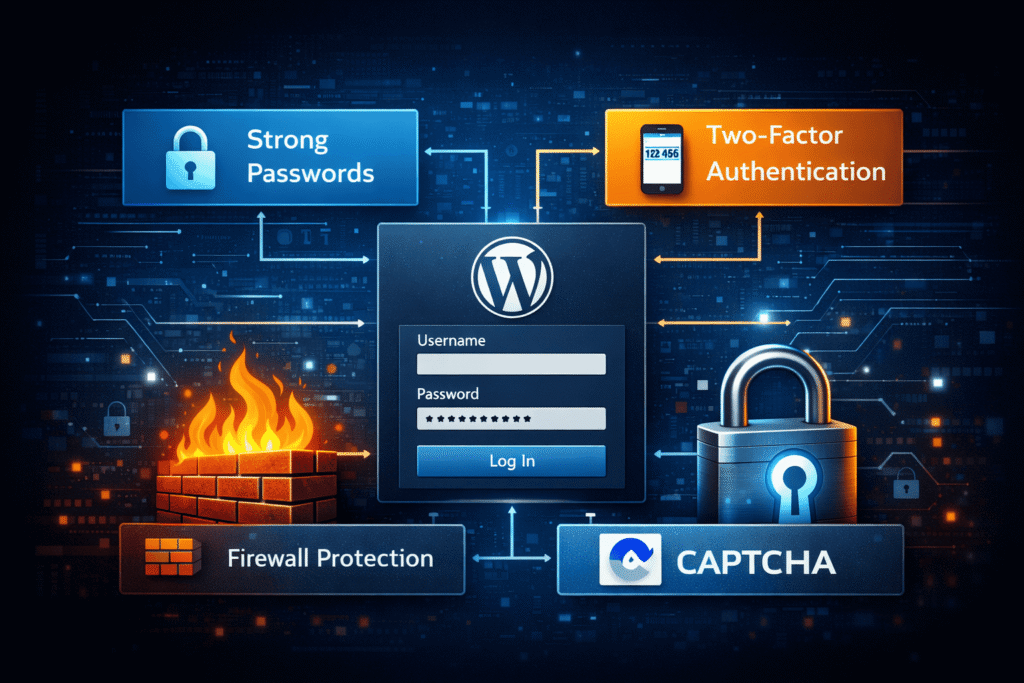
3. Enable Two-Factor Authentication (2FA)
Even if hackers get your password, 2FA blocks them.
Recommended 2FA options:
- Google Authenticator
- Authy
- Email-based OTP
Most security plugins support this out of the box.
4. Limit Login Attempts (Critical)
This single step stops brute-force attacks cold.
Limit:
- Login attempts per IP
- Lockout duration
- Failed password retries
This alone can reduce attacks by 90%.
5. Change the Default WordPress Login URL
Bots target /wp-login.php.
Changing it adds an extra layer of obscurity.
Example:
/secure-login-2026//myprivateaccess/
While not foolproof, it significantly reduces automated attacks.
6. Use CAPTCHA on Login Page
CAPTCHA filters out bots before they even try.
Options include:
- Google reCAPTCHA v3
- Cloudflare Turnstile
This pairs well with login attempt limits.
7. Secure WordPress Login Page via HTTPS (SSL)
Never allow logins over HTTP.
An SSL certificate:
- Encrypts credentials
- Prevents man-in-the-middle attacks
- Improves SEO
Most quality hosts offer free SSL. If you’re unsure, check our guides like how to choose the fastest and most reliable WordPress Hosting
8. Disable XML-RPC If You Don’t Need It
XML-RPC is a common attack vector.
If you don’t use:
- Jetpack
- Mobile apps
Disable it completely.
9. Use a Web Application Firewall (WAF)
A WAF blocks malicious traffic before it hits WordPress.
Popular options:
- Cloudflare
- Sucuri
These services stop known attack patterns automatically.
10. Choose Secure WordPress Hosting (Underrated but Powerful)
Your hosting provider matters more than most plugins.
A secure host offers:
- Server-level firewalls
- Malware scanning
- Login protection
- Isolated accounts
Learn what to look for here in our guide for Choosing WordPress Hosting:
11. Monitor Login Activity & Audit Logs
You can’t protect what you can’t see.
Track:
- Failed login attempts
- IP addresses
- New admin creation
This helps detect breaches early.
12. Disable File Editing from Dashboard
If hackers gain access, this stops them from injecting code.
Add this to wp-config.php:
define('DISALLOW_FILE_EDIT', true);
13. Use Security Plugins (But Don’t Overload)
Top security plugins in 2026:
- Wordfence
- iThemes Security
- All In One WP Security
Choose one, configure it properly, and keep it updated.
14. Keep WordPress Core, Themes & Plugins Updated
Outdated software is the #1 cause of hacked sites.
Enable:
- Auto-updates for minor releases
- Manual review for major updates
For SEO-friendly site health, also see our guide on Website Speed Optimization to your website’s performance.
15. Protect Login Page with IP Whitelisting (Advanced)
If only you or your team logs in:
- Allow specific IPs
- Block all others
This is extremely effective for business sites.
16. Backup Your Website Regularly
Security isn’t just prevention—it’s recovery.
Daily backups ensure:
- Quick restoration
- No data loss
Combine this with your login security strategy.
17. Educate All Users & Authors
A secure WordPress login page is only as strong as its weakest user.
Teach:
- Password hygiene
- Phishing awareness
- Safe login practices
This is especially important on multi-author blogs.
For growing your blog responsibly, see:
How to Start a Blog and Make Money
External Resources for Deeper Security Insights
For advanced reading, these trusted resources add value:
- WordPress Official Security Guide: https://wordpress.org/support/article/hardening-wordpress/
- Cloudflare Web Application Firewall: https://www.cloudflare.com/waf/
- OWASP Web Security Basics: https://owasp.org/www-project-top-ten/
People Also Ask (FAQ Section)
Is WordPress login page secure by default?
No. Basic security exists, but it’s not enough in 2026.
Can hackers bypass login plugins?
Yes, if poorly configured. Layered security is key.
Does changing login URL improve security?
It reduces bot attacks but should not be your only measure.
How often should I review login activity?
Weekly for small sites, daily for business sites.
What happens if my login page gets hacked?
Your entire site, SEO, and hosting account are at risk.
Conclusion: Secure WordPress Login Page the Right Way in 2026
If there’s one takeaway from this guide, it’s this: your website is only as secure as your WordPress login page.
In 2026, relying on just a password is no longer enough. To truly secure WordPress login page access, you must think in layers—strong credentials, two-factor authentication, firewalls, hosting security, and ongoing monitoring.
We covered exactly how to secure WordPress login page from hackers using proven, real-world methods that actually work. Not theoretical advice. Not outdated tricks. But practical steps you can apply today.
When you secure WordPress login page properly:
- Your website stays online
- Your SEO rankings remain safe
- Your users trust your platform
- Your business avoids costly disasters
If you’re serious about long-term website growth, start by locking down what matters most. Secure WordPress login page protection is not a one-time task—it’s an ongoing habit.
Revisit this checklist regularly. Update your defenses. And remember, one small security improvement today can save months of recovery tomorrow.